
Equipment Recovery / Besi Datacon
When a Machine Stops, Expertise Should Already Be There.
A covered alarm appears. Autopilot checks that recovery can proceed, carries out the defined response and verifies the outcome. Engineers take over when the condition needs their attention.
A Short Task. A Repeated Interruption.
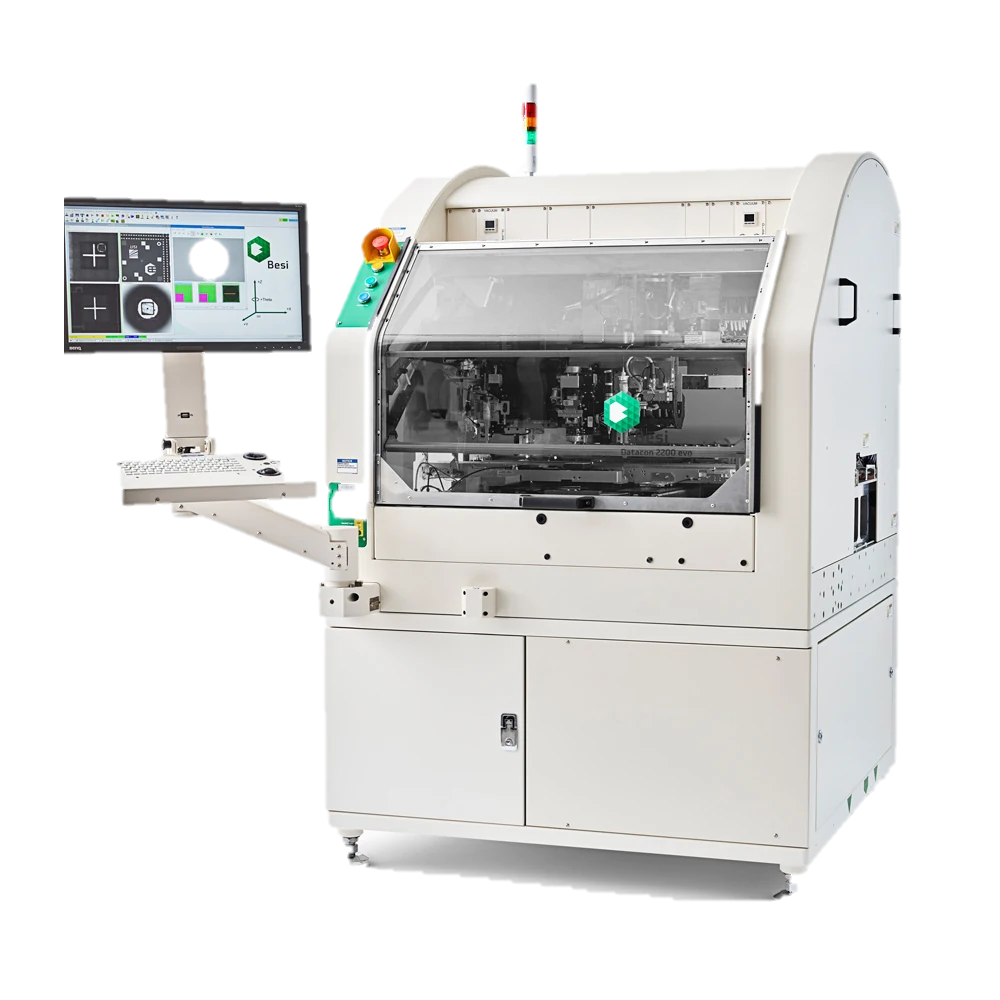
A routine alarm should not have to wait for a busy engineer to notice it. In one semiconductor assembly implementation, operators monitored a dashboard covering more than 40 die-bond tools, identified an alarm and opened the affected machine through a remote interface. The recovery itself could be a short sequence; the interruption depended on when someone could attend to it.
Autopilot connects monitoring to a defined response. The workflow recognizes the covered alarm, checks whether it can enter the tool and follows the configured procedure. Image analysis supports the decisions that depend on what is visible on the equipment interface.
The Operating Sequence
From Observation to Action.
Recognize the Interruption
Monitor the equipment dashboard for the tool and alarm condition. Match the alarm against the configured recovery scope.
Check before Acting
Confirm that the tool is available for the workflow. Check for another automation instance or an engineer already controlling it remotely.
Carry Out the Recovery
Execute the defined response through the equipment interface. Where needed, use image analysis—for example, locating and centering a Data Matrix marking.
Verify and Hand Back
Check the outcome and return to monitoring after recovery. If the workflow cannot resolve the condition, notify the engineer through Andon and email.
Deployment Record
Across a Working Fleet.
- Die-Bond Tools
- 41
- Alarm Types
- 5
- Recorded Automation Sessions
- 122,367
Project reporting period: April–July 2026, with July partial. Alarm coverage varies by tool group. Session count includes successful, failed and alert outcomes.
Automation with a Clear Handover.
The deployment provides visibility into automation status, start/stop controls and recorded outcomes. Covered interruptions receive a repeatable response; conditions outside the qualified scope go to engineering. Automation does not compete with an existing remote operator.
Bring the Expertise to the Next Task.
Autopilot Builder Agents turn an engineer’s demonstration and explanation into a draft workflow. Engineers simulate, refine and qualify it before deployment. That capability brings task-specific operating knowledge to the next machine or procedure without rebuilding every workflow by hand.
The implementation above demonstrates equipment recovery. Builder Agents provide the current platform capability for creating and adapting workflows.
The Platforms behind the Work
Autopilot recognizes the operating condition, executes the qualified recovery sequence and manages the exception path. InnoConnect and equipment integration connect the workflow to the machine.
Your Expertise. New Possibilities.