
Process Protection / Wafer Inspection
Catch the Color Change. Protect the Next Step.
Detect wafer discoloration from saved CDSEM images or live chamber views, and connect the result to the relevant notification or tool-stop response.
The Operating Sequence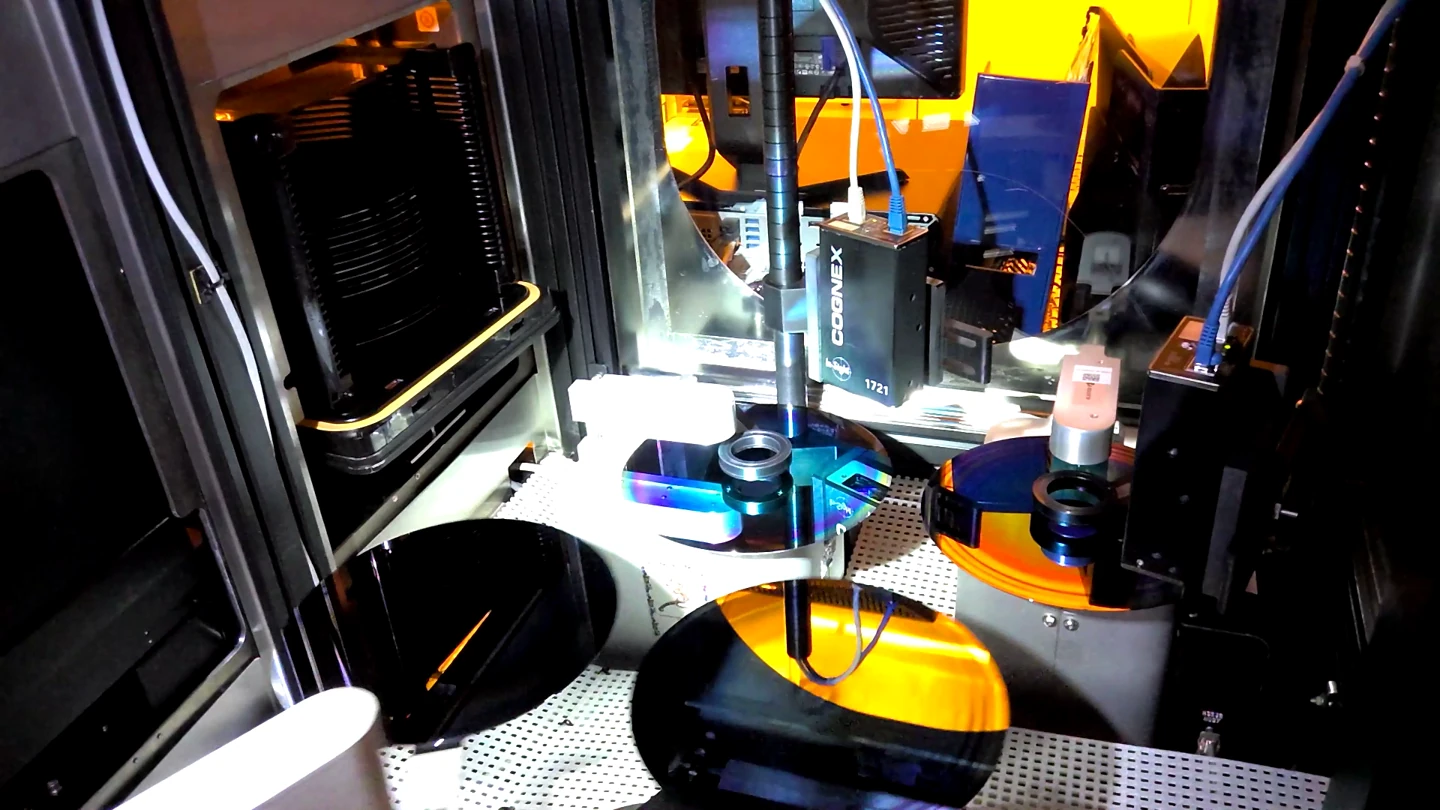
The Platforms behind the Work
Use the Evidence Where It Appears.
Some process conditions become visible in measurement images after a lot is processed. Others can be observed while the wafer is still in the chamber. These are separate inspection contexts with different response paths.
ZeroDefects supports both: image analysis linked to lot identity for post-process review, and camera-based detection during the defined chamber processing window.
The Operating Sequence
Two Inspection Contexts. A Defined Response.
Each path uses its own data, trigger and equipment integration.
Inspect Saved Measurement Images
After the relevant lot completes, retrieve its saved CDSEM images and analyze them for the specified discoloration conditions.
Connect the Finding to the Process
Associate the image evidence with the lot, notify engineering and invoke the configured upstream process-tool response. In this case, the stop target is the Etch tool, not the CDSEM.
Observe the Chamber Window
In the live chamber application, use camera and proximity-sensor information to capture the wafer during the defined processing window, from spin-platform activity through unloading.
Trigger the Configured Stop
Detect the specified discoloration condition and activate the tool-stop I/O path. Preserve the evidence for follow-up.
Match Detection to Its Operating Context.
Qualify the model against the relevant good and defective examples, camera conditions and process window. A saved-image workflow and a live chamber workflow each require their own integration and response checks.
The Platforms behind the Work
ZeroDefects provides the visual detection and the associated notification or stop integration for these applications.
Bring the Expertise to the Next Task.
Builder Agents adapt the inspection ensemble using representative images and the required detection outcome. Engineers validate the result for the new wafer appearance, camera position and process conditions before deployment.
Builder Agents provide the current platform capability for adapting models and workflows. Engineers evaluate each new task before deployment.
Your Expertise. New Possibilities.